“Shirohane’s Controller” plugin and “Shirohane Controller for Windows” application is designed to be compatible with Xinput, Playstation (4 and 5) and Steam (1.0 and 2.0) controllers. Support for Switch Pro or Generic Controllers can be achieved by using a Xbox controller emulator such as ds4-windows.
There is a known issue where the Steam Controller 2.0 is not recognized when connected via wireless puck. The wireless puck appears to the plugin as 4 separate controllers and a Steam Controller 2.0 seems to connect to one of these slots at random. If not recognized as Player 1, try swapping to a different controller slot using the 1-4 numbered buttons on the user interface or use the trigger SH_steamController2Player to swap slots via node graphs.
The “Shirohane Controller Animator” saves the configuration settings of each animation layer each time VNyan is opened. The SHXbox, SHPlayStation and SHMouse config files are saved to the “<VNyan Installation Directory>\VNyan_Data\ShiroAnimator” folder.
Delete the SHXbox, SHPlayStation and SHmouse (and bak) files to reset the plugin to the default configuration.
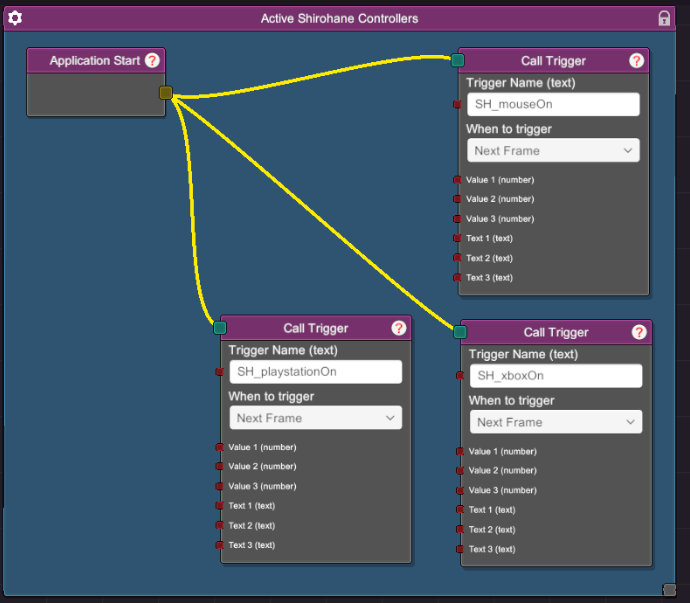
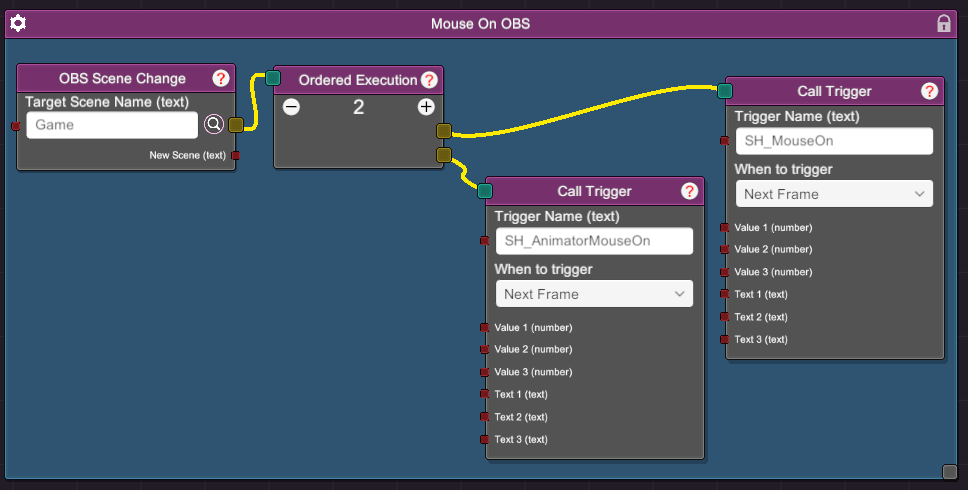
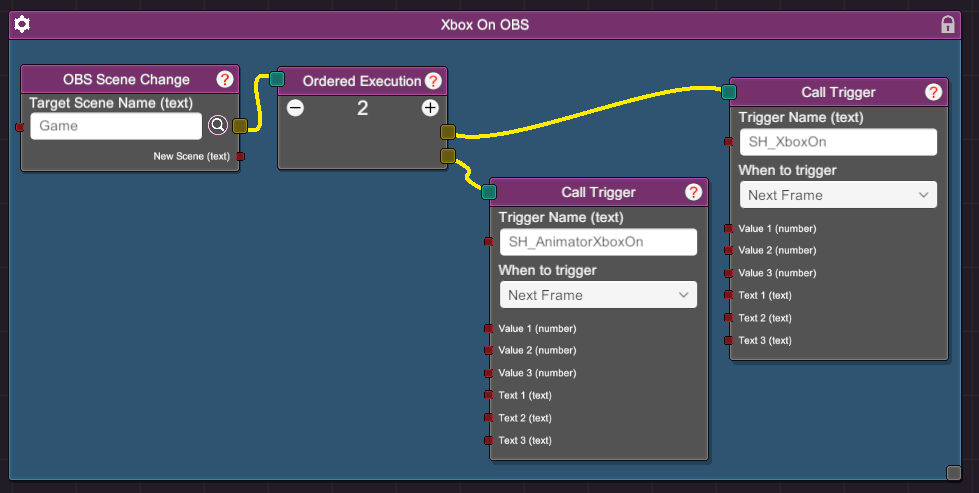
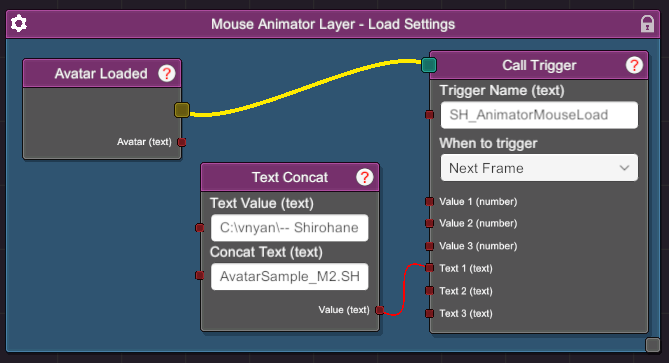
You can use the provided node triggers to automate the activation of the “Shirohane Controller” and the “Shirohane Animator”. Common use-cases include:
- Activate the "Shirohane's Controller" plugin by connecting a SH_mouseOn, SH_xboxOn or SH_playstationOn trigger to a ApplicationStart node.
- Connecting triggers to a OBS Scene Change node in order to start the plugin when transitioning to your gaming scene.
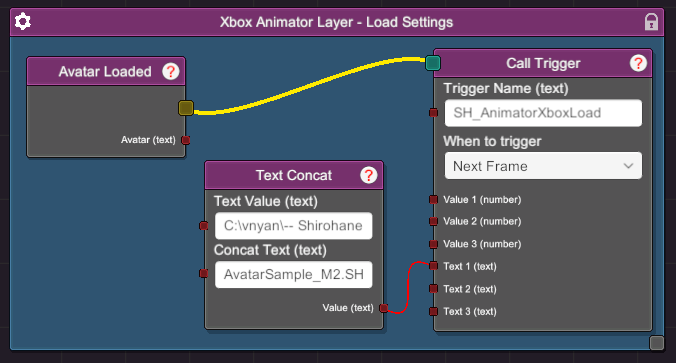
- Connecting a SH_AnimatorMouseLoad, SH_AnimatorXboxLoad or SH_AnimatorPlayStationLoad trigger to the Avatar Loaded node in order to change the animator configuration along with your avatar.
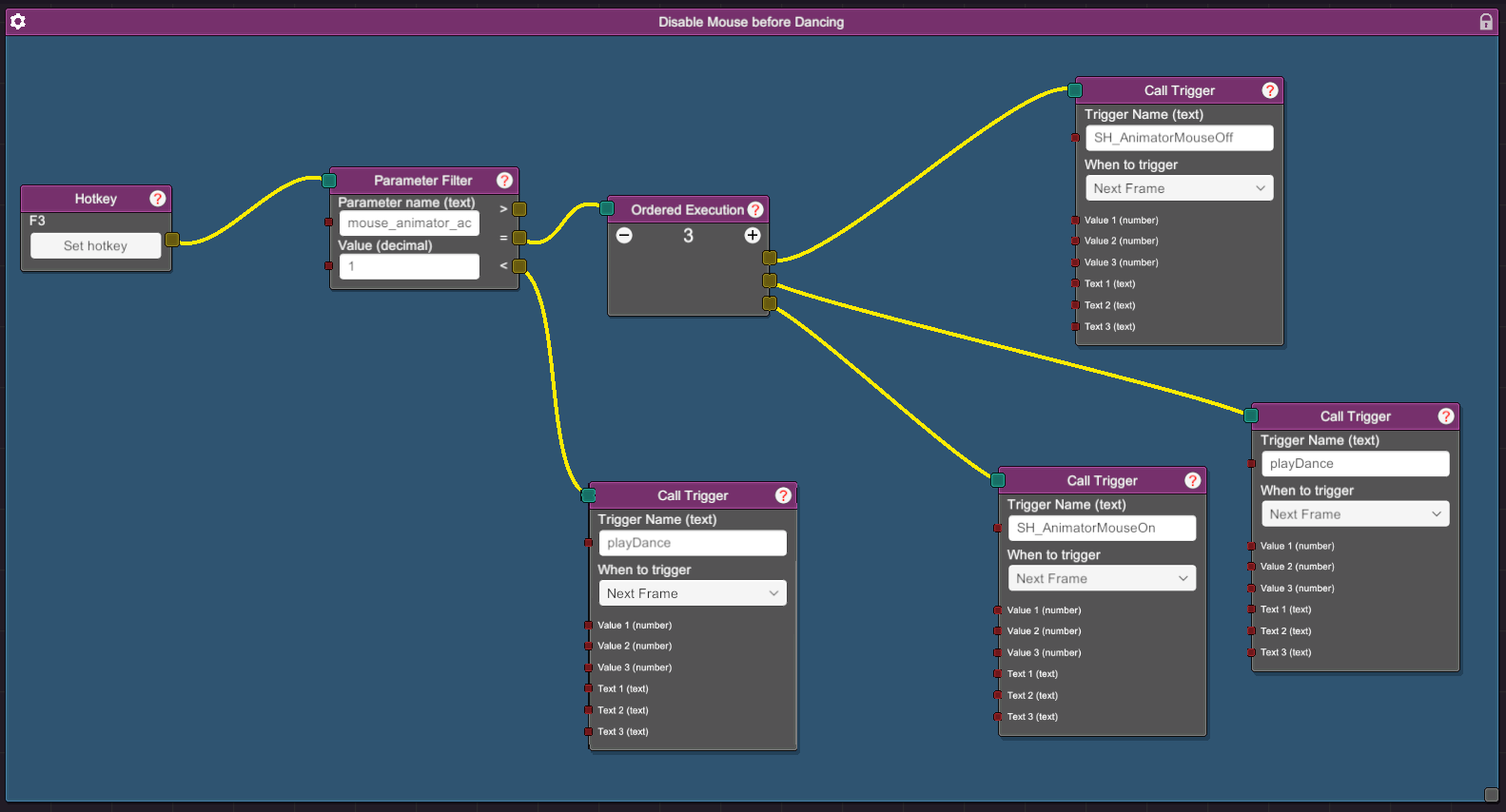
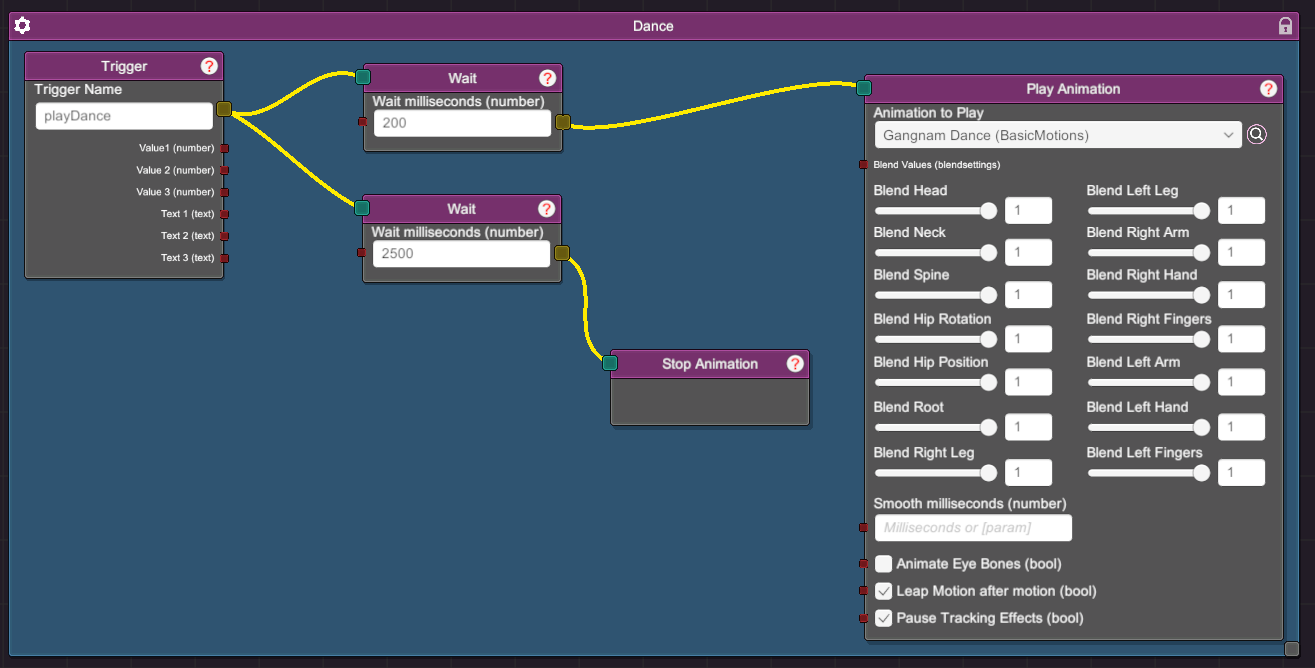
- Disable the active animation layer before playing a dancing animation.