Shirohane's Animator - Mouse Animator Nodes
The following triggers and parameters can be used to control the Shirohane’s Controller Animator” mouse layer via node graphs.
| Name | Type | Operation |
|---|---|---|
| mouse_animator_active | Parameter | 1 if the Mouse Animator is active.0 if the Mouse Animator is not active. |
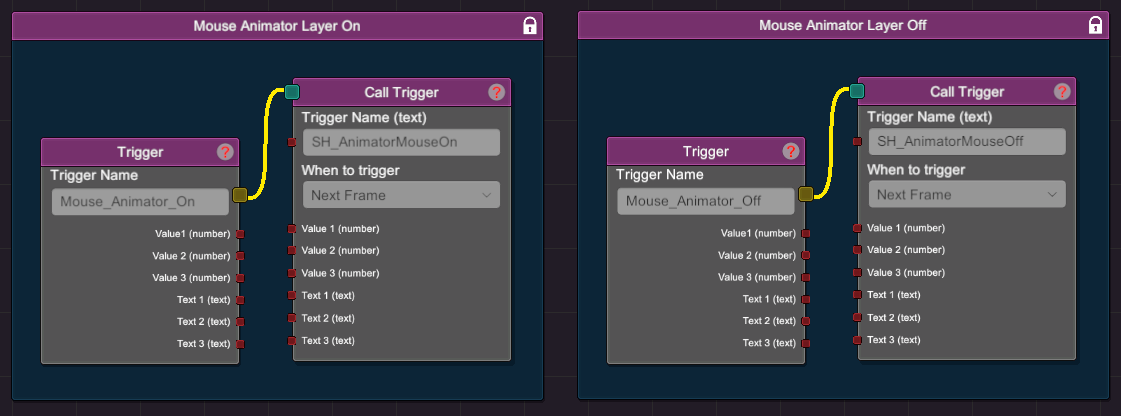
| SH_AnimatorMouseOn | Trigger | Turns ON the Mouse Animation Layer |
| SH_AnimatorMouseOff | Trigger | Turns OFF the Mouse Animation Layer |
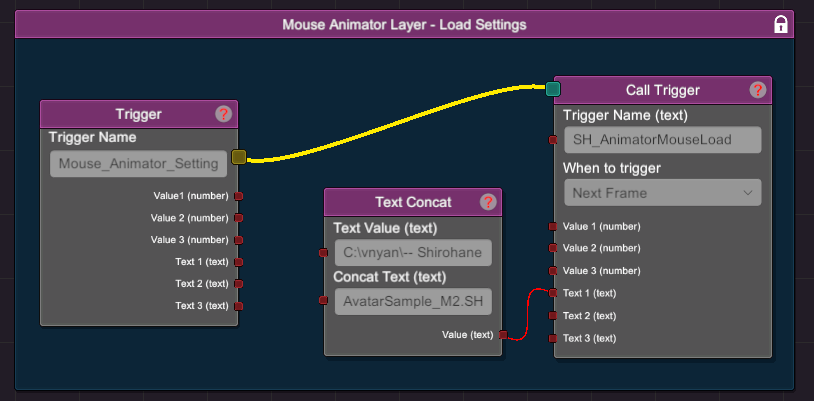
| SH_AnimatorMouseLoad | Trigger | Loads the Mouse Animation Layer settings. Filename must be passed into the text1 option. |
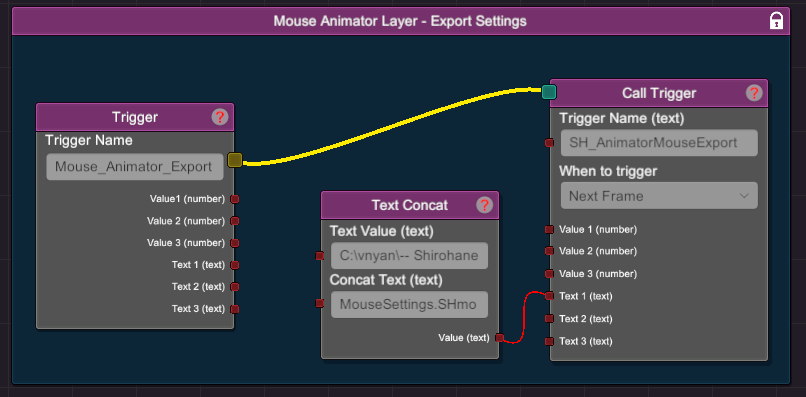
| SH_AnimatorMouseExport | Trigger | Saves the current Mouse Animation Layer settings. Filename must be passed into the text1 option. |
The following node graphs demonstrate how to incorporate the features provided through this plugin:
- Turn on the Mouse Animation Layer using the SH_AnimatorMouseOn trigger. Turn off the Mouse Animation Layer using the SH_AnimatorMouseOff trigger.
- The following node graph shows how to use the SH_AnimatorMouseLoad trigger to load a SHmouse settings file. In this example a “Text Concat” node is used to pass the path of a SHmouse file to the “Text 1” trigger.
- The following node graph shows how to use the SH_AnimatorMouseExport trigger to save the current mouse settings to a SHmouse file. In this example a “Text Concat” node is used to construct a save location, which is then passed into the “Text 1” trigger.
The location of the save file does not have to exist, as VNyan will create the necessary directory (provided it has permission to access to the file system).